
Search and data retrieval tools help independent consultants streamline the process of finding documents, files, and relevant data quickly and efficiently, boosting productivity and organization. By supporting advanced search options, file indexing, and cross-platform compatibility, they help consultants locate needed information in seconds, even within extensive digital archives.
1. Alfred
- Website: www.alfredapp.com
- Form of Tool: Desktop App (macOS)
- Cost: Free; Powerpack at £29 (one-time)
- Geographic Coverage: Primarily global, macOS-exclusive
Description and Features:
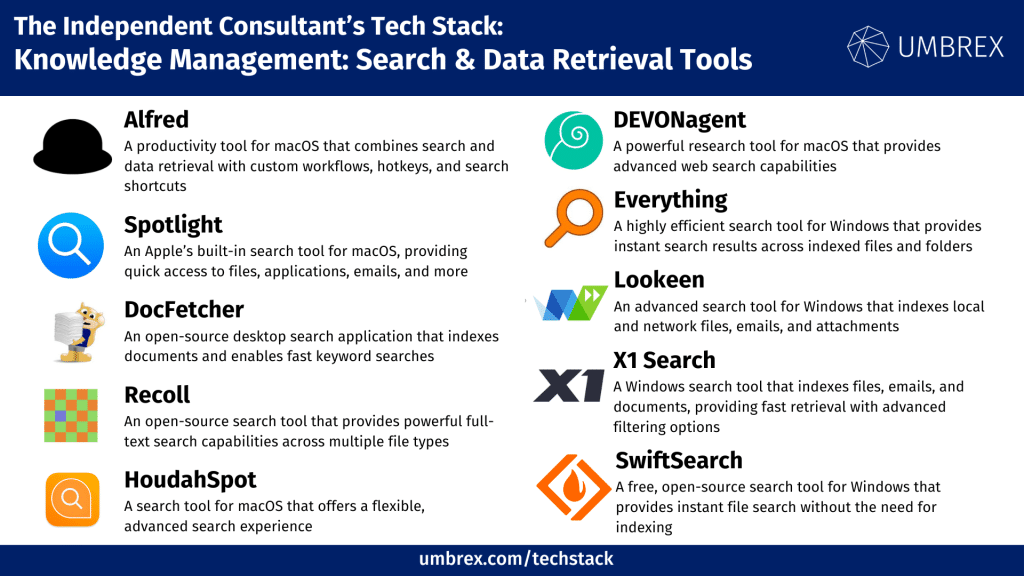
Alfred is a productivity tool for macOS that combines search and data retrieval with custom workflows, hotkeys, and search shortcuts. With its Powerpack upgrade, Alfred offers advanced file navigation, clipboard history, and application launch features, enabling consultants to streamline their workflows.
Key Features:
- Universal search for files, applications, and web-based queries
- Customizable workflows and automation with Powerpack
- Clipboard history and file preview options
Pros for Independent Consultants:
- Highly customizable for individualized workflows
- Comprehensive search capabilities with quick access to files
- One-time purchase for Powerpack without recurring fees
Cons for Independent Consultants:
- Limited to macOS users
- Some advanced features require Powerpack upgrade
2. Spotlight
- Website: www.apple.com
- Form of Tool: Integrated into macOS
- Cost: Free with macOS
- Geographic Coverage: Global (macOS-exclusive)
Description and Features:
Spotlight is Apple’s built-in search tool for macOS, providing quick access to files, applications, emails, and more. It supports natural language queries and allows consultants to locate documents, perform calculations, and even access online information directly from the macOS interface.
Key Features:
- Indexes files, applications, emails, and more on macOS
- Natural language queries for intuitive searches
- Supports previewing files and basic calculations
Pros for Independent Consultants:
- Integrated and free with all macOS devices
- Simple and fast for file and application searches
- No additional setup or downloads required
Cons for Independent Consultants:
- Limited to macOS users
- Lacks advanced customization options
3. DocFetcher
- Website: www.docfetcher.sourceforge.net
- Form of Tool: Desktop App (Windows, macOS, Linux)
- Cost: Free, open-source
- Geographic Coverage: Global
Description and Features:
DocFetcher is an open-source desktop search application that indexes documents and enables fast keyword searches. It’s useful for consultants who need a powerful, customizable tool to locate text within files, with support for indexing various file types.
Key Features:
- Indexing for text-based file formats, including PDFs and DOCX
- Search results displayed with context snippets
- Advanced query capabilities, including Boolean operators
Pros for Independent Consultants:
- Free and open-source with strong search capabilities
- Ideal for searching within document content
- Cross-platform compatibility
Cons for Independent Consultants:
- Limited interface design
- Initial indexing may take time for large libraries
4. Recoll
- Website: www.recoll.org
- Form of Tool: Desktop App (Windows, macOS, Linux)
- Cost: Free, open-source
- Geographic Coverage: Global
Description and Features:
Recoll is an open-source search tool that provides powerful full-text search capabilities across multiple file types. It’s designed for consultants needing an efficient tool for locating information within documents, emails, and multimedia files.
Key Features:
- Full-text search with support for various file formats
- Indexing for local files, email, and metadata
- Advanced search filters for precise results
Pros for Independent Consultants:
- Free, with extensive customization and search options
- Cross-platform support with extensive file type compatibility
- Good for organizing and retrieving research documents
Cons for Independent Consultants:
- Requires setup for initial indexing
- Interface may feel outdated for some users
5. HoudahSpot
- Website: www.houdah.com/houdahSpot
- Form of Tool: Desktop App (macOS)
- Cost: $34 one-time purchase, with free trial available
- Geographic Coverage: Global (macOS-exclusive)
Description and Features:
HoudahSpot is a search tool for macOS that offers a flexible, advanced search experience. It enhances the macOS Spotlight functionality with custom search filters and detailed previews, ideal for consultants managing large volumes of files on their devices.
Key Features:
- Customizable search filters and criteria
- Preview pane with metadata and file details
- Integration with Finder and Spotlight for expanded search options
Pros for Independent Consultants:
- Extensive customization for detailed searches
- Ideal for users with large, organized file libraries
- One-time purchase with ongoing updates
Cons for Independent Consultants:
- Only available on macOS
- Learning curve for users unfamiliar with advanced search tools
6. DEVONagent
- Website: www.devontechnologies.com
- Form of Tool: Desktop App (macOS)
- Cost: $49.95 one-time purchase; Pro version at $99
- Geographic Coverage: Global
Description and Features:
DEVONagent is a powerful research tool for macOS that provides advanced web search capabilities. It’s useful for consultants who need to aggregate information from across the web and analyze results with custom search engines and filters.
Key Features:
- Customizable search with predefined engines and filters
- Webpage and PDF search with document previews
- Built-in AI for organizing and summarizing search results
Pros for Independent Consultants:
- Excellent for comprehensive online research
- AI-based features for organizing and analyzing information
- One-time purchase with rich functionality
Cons for Independent Consultants:
- Limited to macOS users
- Primarily focused on web search, not local file indexing
7. Everything
- Website: www.voidtools.com
- Form of Tool: Desktop App (Windows)
- Cost: Free
- Geographic Coverage: Global (Windows-exclusive)
Description and Features:
Everything is a highly efficient search tool for Windows that provides instant search results across indexed files and folders. It’s designed for consultants needing a lightweight, fast tool for finding files without advanced filtering options.
Key Features:
- Real-time file and folder indexing for instant results
- Lightweight with minimal system resource usage
- Boolean search operators for focused queries
Pros for Independent Consultants:
- Extremely fast and efficient file search
- Free and easy to set up on Windows
- Excellent for basic file retrieval without complex settings
Cons for Independent Consultants:
- Limited to Windows users
- Lacks advanced metadata or in-file content search
8. Lookeen
- Website: www.lookeen.com
- Form of Tool: Desktop App (Windows)
- Cost: $69/year; business plan pricing available
- Geographic Coverage: Global
Description and Features:
Lookeen is an advanced search tool for Windows that indexes local and network files, emails, and attachments. It’s suitable for consultants who manage large amounts of data and need detailed search filters across multiple sources.
Key Features:
- Full-text search for files, emails, and attachments
- Boolean search operators and filters for refined queries
- Integration with Microsoft Outlook for email search
Pros for Independent Consultants:
- Extensive search capabilities across files and emails
- Customizable search filters and preview options
- Integrates seamlessly with Outlook for email search
Cons for Independent Consultants:
- Subscription-based pricing may be costly for some users
- Limited to Windows environment
9. X1 Search
- Website: www.x1.com/products/x1-search
- Form of Tool: Desktop App (Windows)
- Cost: Starts at $96/year
- Geographic Coverage: Global
Description and Features:
X1 Search is a Windows search tool that indexes files, emails, and documents, providing fast retrieval with advanced filtering options. It’s aimed at consultants who require a reliable, enterprise-grade solution for managing and searching large information sets.
Key Features:
- Unified search for files, emails, and SharePoint content
- Preview pane with highlighted search terms
- Extensive filters, tags, and search parameters
Pros for Independent Consultants:
- Designed for fast, accurate retrieval across various content types
- Integrated with SharePoint, Outlook, and cloud storage
- Detailed filtering and preview capabilities
Cons for Independent Consultants:
- Subscription-based pricing can add up over time
- Only available for Windows users
10. SwiftSearch
- Website: www.sourceforge.net/projects/swiftsearch
- Form of Tool: Desktop App (Windows)
- Cost: Free, open-source
- Geographic Coverage: Global
Description and Features:
SwiftSearch is a free, open-source search tool for Windows that provides instant file search without the need for indexing. It’s ideal for consultants who want a lightweight, straightforward search solution without extensive filtering or customization.
Key Features:
- Instant file search without prior indexing
- Simple, fast interface for file retrieval
- Minimal system resource usage
Pros for Independent Consultants:
- Free and lightweight for quick searches
- No indexing required for immediate results
- Good for basic file search without setup
Cons for Independent Consultants:
- Limited functionality for advanced search needs
- Only available for Windows