
Password recovery tools help independent consultants regain access to accounts or files when passwords are lost or forgotten. These tools can retrieve or reset lost passwords for various accounts, encrypted files, or locked devices. Having a password recovery tool ensures that important data remains accessible, even when passwords are misplaced, reducing downtime and avoiding potential loss of critical information.
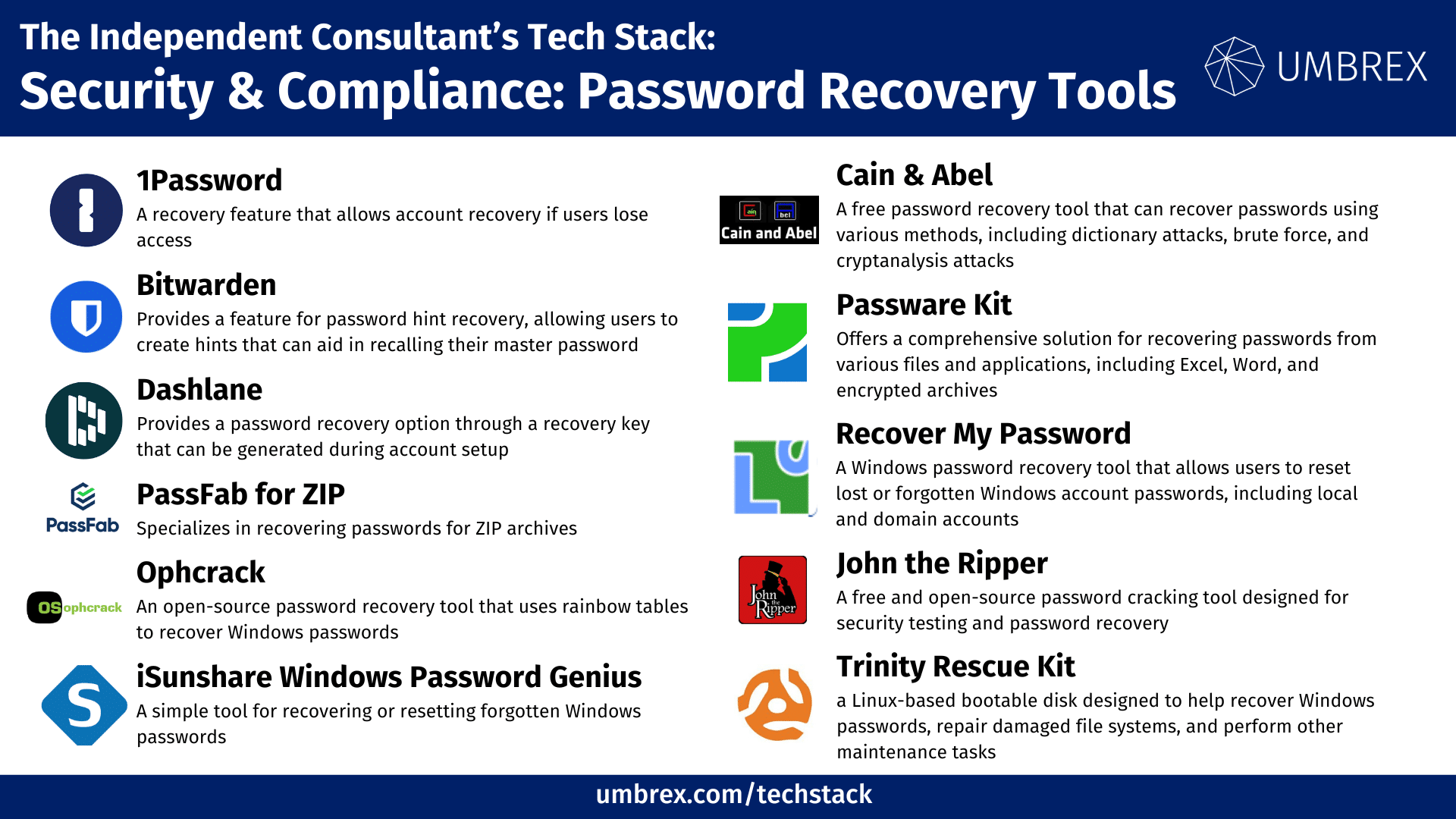
If you would like to suggest a tool to add to this resource, please send us your recommendation.
1. 1Password
- Website: www.1password.com
- Form of Tool: Website, desktop software, browser extension, and mobile app
- Cost: Free 14-day trial, plans start at $2.99/month (Individual)
- Geographic Coverage: Global
Description and Features:
1Password includes a recovery feature that allows account recovery if users lose access. Family and team plans offer recovery capabilities through trusted contacts, ensuring data can be recovered in case of a forgotten master password.
Key Features:
- Password recovery through trusted contacts
- Secure vaults for storing passwords and documents
- Cross-platform support
Pros for Independent Consultants:
- Simplifies account recovery with a user-friendly interface
- Secure data storage with zero-knowledge encryption
- Good for both personal and professional use
Cons for Independent Consultants:
- Requires subscription, no free tier beyond trial
- Full recovery may require pre-setup of trusted contacts
2. Bitwarden
- Website: www.bitwarden.com
- Form of Tool: Website, browser extension, and mobile app
- Cost: Free plan available, paid plans start at $10/year (Individual Premium)
- Geographic Coverage: Global
Description and Features:
Bitwarden provides a feature for password hint recovery, allowing users to create hints that can aid in recalling their master password. It also offers an emergency access feature, allowing trusted individuals to access the vault in case of emergency.
Key Features:
- Password hints for master password recovery
- Emergency access for trusted contacts
- Open-source with end-to-end encryption
Pros for Independent Consultants:
- Affordable pricing with a generous free tier
- Open-source transparency ensures trust in security
- Emergency access provides peace of mind for account recovery
Cons for Independent Consultants:
- Password hint is not as robust as some other recovery options
- Emergency access requires prior setup
3. Dashlane
- Website: www.dashlane.com
- Form of Tool: Website, browser extension, and mobile app
- Cost: Free plan available, paid plans start at $4.99/month (Advanced)
- Geographic Coverage: Global
Description and Features:
Dashlane provides a password recovery option through a recovery key that can be generated during account setup. It also includes account recovery for those using the business plan, offering backup solutions for critical account access.
Key Features:
- Password recovery key for account access
- Cross-platform synchronization
- Dark web monitoring for breached passwords
Pros for Independent Consultants:
- User-friendly recovery process
- Includes dark web monitoring for proactive security
- Recovery options are built into business plans
Cons for Independent Consultants:
- Higher price point than some competitors
- Recovery process requires pre-generated recovery key
4. PassFab for ZIP
- Website: www.passfab.com
- Form of Tool: Desktop software (Windows, macOS)
- Cost: Starts at $29.95/month
- Geographic Coverage: Global
Description and Features:
PassFab for ZIP specializes in recovering passwords for ZIP archives. It uses multiple methods, such as dictionary and brute force attacks, to retrieve passwords for encrypted ZIP files, making it a valuable tool for consultants who need access to archived data.
Key Features:
- Recover ZIP file passwords using different attack methods
- User-friendly interface with fast recovery
- Supports multiple compression formats
Pros for Independent Consultants:
- Effective for recovering access to encrypted ZIP files
- Intuitive interface for easy use
- Quick password recovery options
Cons for Independent Consultants:
- Subscription-based pricing can be expensive over time
- Limited to specific file types
5. Ophcrack
- Website: www.sourceforge.net/projects/ophcrack
- Form of Tool: Desktop software (Windows, Linux)
- Cost: Free (Open-source)
- Geographic Coverage: Global
Description and Features:
Ophcrack is an open-source password recovery tool that uses rainbow tables to recover Windows passwords. It is effective for recovering forgotten passwords on local Windows accounts.
Key Features:
- Uses rainbow tables for password recovery
- Recovers Windows local account passwords
- Free and open-source
Pros for Independent Consultants:
- Free to use with a large online community
- Effective for recovering local account passwords
- Works without needing access to the operating system
Cons for Independent Consultants:
- Complex setup process
- Limited to Windows password recovery
6. iSunshare Windows Password Genius
- Website: www.isunshare.com
- Form of Tool: Desktop software (Windows)
- Cost: Starts at $19.95
- Geographic Coverage: Global
Description and Features:
iSunshare Windows Password Genius is a simple tool for recovering or resetting forgotten Windows passwords. It supports various types of Windows accounts, including local accounts and Microsoft accounts.
Key Features:
- Recover or reset Windows user passwords
- Create bootable password recovery disks
- Supports multiple Windows versions
Pros for Independent Consultants:
- Affordable one-time purchase
- Easy to use without technical expertise
- Supports local and Microsoft accounts
Cons for Independent Consultants:
- Limited to Windows operating systems
- Requires bootable media for recovery
7. Cain & Abel
- Website: www.oxid.it/cain.html
- Form of Tool: Desktop software (Windows)
- Cost: Free
- Geographic Coverage: Global
Description and Features:
Cain & Abel is a free password recovery tool that can recover passwords using various methods, including dictionary attacks, brute force, and cryptanalysis attacks. It is versatile for recovering passwords from a variety of sources.
Key Features:
- Recover passwords using multiple attack methods
- Recover cached passwords and network keys
- Free to use
Pros for Independent Consultants:
- Versatile with multiple recovery options
- Free and widely used in the cybersecurity community
- Effective for recovering network passwords
Cons for Independent Consultants:
- Technical knowledge required for optimal use
- Only available for Windows
8. Passware Kit
- Website: www.passware.com
- Form of Tool: Desktop software (Windows, macOS)
- Cost: Starts at $99 (one-time purchase)
- Geographic Coverage: Global
Description and Features:
Passware Kit offers a comprehensive solution for recovering passwords from various files and applications, including Excel, Word, and encrypted archives. It is a powerful tool for unlocking forgotten passwords.
Key Features:
- Recover passwords for documents, archives, and software
- Decrypts hard drive images and full disk encryption
- Supports over 300 file types
Pros for Independent Consultants:
- Wide range of file and application support
- One-time purchase model provides long-term value
- Useful for document recovery and client file access
Cons for Independent Consultants:
- Higher upfront cost
- May be overpowered for basic password recovery needs
9. Recover My Password by Lazesoft
- Website: www.lazesoft.com
- Form of Tool: Desktop software (Windows)
- Cost: Free for home use, paid versions start at $27.95
- Geographic Coverage: Global
Description and Features:
Recover My Password is a Windows password recovery tool that allows users to reset lost or forgotten Windows account passwords, including local and domain accounts. It provides a user-friendly interface for creating a bootable USB or CD to reset passwords.
Key Features:
- Reset forgotten Windows passwords for local and domain accounts
- Create bootable USB or CD for recovery
- Supports multiple versions of Windows, including Windows 10 and 11
Pros for Independent Consultants:
- Easy to use with minimal technical expertise
- Free version allows testing of basic functionality
- Quick setup with bootable recovery options
Cons for Independent Consultants:
- Free version has limited features compared to paid versions
- Only supports Windows systems
10. John the Ripper
- Website: www.openwall.com/john
- Form of Tool: Desktop software (Windows, macOS, Linux)
- Cost: Free (Open-source)
- Geographic Coverage: Global
Description and Features:
John the Ripper is a free and open-source password cracking tool designed for security testing and password recovery. It supports various password hash types and uses a range of techniques like dictionary attacks and brute force to recover lost passwords.
Key Features:
- Supports multiple hash types (e.g., MD5, SHA-256)
- Customizable password cracking methods
- Cross-platform support with community-developed plugins
Pros for Independent Consultants:
- Free to use with extensive community support
- Powerful tool for recovering various types of passwords
- Customizable for specific password recovery needs
Cons for Independent Consultants:
- Steeper learning curve for non-technical users
- Command-line interface may be challenging for beginners
11. Trinity Rescue Kit
- Website: www.trinityhome.org
- Form of Tool: Bootable disk (Linux-based)
- Cost: Free (Open-source)
- Geographic Coverage: Global
Description and Features:
Trinity Rescue Kit (TRK) is a Linux-based bootable disk designed to help recover Windows passwords, repair damaged file systems, and perform other maintenance tasks. It is particularly useful for recovering or resetting forgotten Windows passwords in emergency situations.
Key Features:
- Reset or recover Windows passwords
- Repair and recover files from damaged systems
- Bootable USB or CD for offline recovery
Pros for Independent Consultants:
- Free and open-source, suitable for occasional recovery needs
- Works without needing access to the operating system
- Includes additional tools for system repair and data recovery
Cons for Independent Consultants:
- Requires creating a bootable disk, which can be complex
- Linux-based interface may be less familiar to some users