
Job costing tools help track and allocate costs to specific projects or clients. These tools help monitor time, labor, materials, and other expenses associated with each job or project, ensuring that consultants can accurately estimate project costs, track profitability, and invoice clients based on actual costs.
1. WorkflowMax
- Website: workflowmax.com
- Form of Tool: Cloud-based software with mobile apps (iOS and Android)
Description and Features:
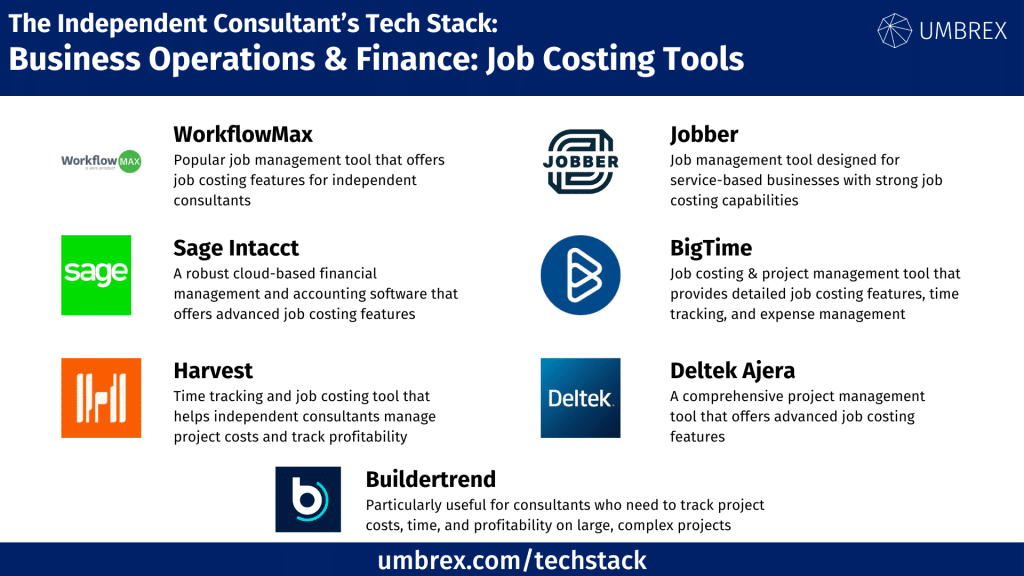
WorkflowMax is a popular job management tool that offers job costing features for independent consultants. It allows users to estimate project costs, track time and expenses, and generate reports on project profitability. WorkflowMax is ideal for consultants who need an all-in-one tool for job management and costing.
- Job Costing: Allocate costs to specific jobs, including labor, materials, and expenses.
- Time Tracking: Log time spent on various tasks and assign it to specific jobs or projects.
- Expense Tracking: Track expenses like travel, materials, and subcontractor fees for accurate job costing.
- Reporting: Generate detailed job profitability reports to monitor margins.
- Invoicing: Automatically generate invoices based on time and expenses tracked for each job.
Pros and Cons for Independent Consultants:
Pros:
- All-in-one solution for job management and costing.
- Time tracking and expense tracking integrated into job costing.
- Strong reporting features for profitability analysis.
Cons:
- May be overkill for consultants with very small projects or few clients.
- Higher cost compared to simpler tools focused only on job costing.
2. Sage Intacct
- Website: sageintacct.com
- Form of Tool: Cloud-based enterprise resource planning (ERP) platform
Description and Features:
Sage Intacct is a robust cloud-based financial management and accounting software that offers advanced job costing features. It’s designed for businesses, but independent consultants can benefit from its job costing capabilities, especially if they need detailed tracking and reporting on project costs.
- Job Costing and Project Accounting: Track all costs associated with a project, including labor, materials, overhead, and other expenses.
- Budgeting and Forecasting: Create detailed project budgets and compare actual costs against budgets in real-time.
- Time and Expense Tracking: Log billable hours and project expenses, and allocate them to specific jobs.
- Advanced Reporting: Generate in-depth financial reports that track job profitability, cost trends, and budget variance.
- Integration: Integrates with other Sage products and third-party tools for a comprehensive business management solution.
Pros and Cons for Independent Consultants:
Pros:
- Highly detailed job costing and financial reporting features.
- Ideal for consultants handling large, complex projects.
- Comprehensive budgeting and forecasting tools.
Cons:
- Expensive and complex; may not be ideal for solo consultants or smaller firms.
- Requires more setup and financial knowledge to fully utilize its features.
3. Harvest
- Website: getharvest.com
- Form of Tool: Cloud-based platform with mobile apps (iOS and Android)
Description and Features:
Harvest is a time tracking and job costing tool that helps independent consultants manage project costs and track profitability. It offers simple yet powerful tools to log time, track expenses, and generate job cost reports, making it a great option for consultants working on multiple client projects.
- Time Tracking: Track billable and non-billable hours for specific projects.
- Expense Tracking: Log and categorize expenses related to different jobs or projects.
- Job Cost Reporting: Analyze project costs and profitability with detailed reports.
- Invoicing: Create invoices based on time and expenses tracked for each job.
- Integrations: Works with accounting tools like QuickBooks, Xero, and payment platforms.
Pros and Cons for Independent Consultants:
Pros:
- Simple, easy-to-use interface for time tracking and job costing.
- Affordable for independent consultants.
- Integrates with popular invoicing and accounting platforms.
Cons:
- Lacks advanced job costing features compared to more comprehensive tools.
- Limited reporting capabilities for complex project tracking.
4. Jobber
- Website: getjobber.com
- Form of Tool: Cloud-based platform with mobile apps (iOS and Android)
Description and Features:
Jobber is a job management tool designed for service-based businesses, but it offers strong job costing capabilities that are useful for independent consultants. It allows consultants to estimate costs, track time and expenses, and manage client relationships all in one place.
- Job Costing and Estimates: Create cost estimates for jobs, including labor, materials, and overhead.
- Time Tracking: Log hours worked and allocate time to specific projects or tasks.
- Expense Tracking: Track and categorize expenses related to different projects for accurate job costing.
- Job Profitability Reports: Generate reports on project costs and profitability to track margins.
- Invoicing: Automatically generate invoices based on time, expenses, and job estimates.
Pros and Cons for Independent Consultants:
Pros:
- All-in-one job management and costing tool.
- Simple, intuitive interface with strong job costing features.
- Affordable for solo consultants or small teams.
Cons:
- Primarily designed for service businesses, which may limit customization for consultants in other fields.
- Lacks some advanced reporting features for large-scale projects.
5. BigTime
- Website: bigtime.net
- Form of Tool: Cloud-based platform with mobile apps (iOS and Android)
Description and Features:
BigTime is a job costing and project management tool specifically designed for professional services firms, including consultants. It provides detailed job costing features, time tracking, and expense management, making it a great option for consultants handling multiple projects or working on complex client engagements.
- Job Costing: Track costs for each job, including labor, materials, and expenses.
- Time and Expense Tracking: Log billable hours and project expenses in real-time.
- Project Management: Manage tasks, deadlines, and team collaboration for each project.
- Reporting and Analytics: Generate reports on job profitability, cost trends, and resource allocation.
- Invoicing: Automatically generate client invoices based on time and costs tracked.
Pros and Cons for Independent Consultants:
Pros:
- Comprehensive job costing and project management features.
- Strong reporting tools for tracking profitability and resource utilization.
- Ideal for consultants handling large or complex projects.
Cons:
- Higher pricing compared to simpler tools.
- More features than necessary for consultants handling smaller jobs or working solo.
6. Deltek Ajera
- Website: deltek.com
- Form of Tool: Cloud-based software with desktop integration
Description and Features:
Deltek Ajera is a comprehensive project management and job costing tool that focuses on professional services, including consulting. It offers advanced job costing features that help consultants accurately track project expenses, labor, and profitability.
- Job Costing: Track project costs for labor, materials, and overhead, and allocate them to specific jobs.
- Budgeting and Forecasting: Create detailed project budgets and forecast costs to manage financial expectations.
- Time and Expense Tracking: Track billable hours and expenses in real-time, and assign them to specific jobs.
- Project Accounting: Manage project billing, invoicing, and financial reporting for clients.
- Reporting: Generate detailed reports on job profitability, project costs, and budget variance.
Pros and Cons for Independent Consultants:
Pros:
- Advanced job costing and financial reporting tools.
- Ideal for consultants working on long-term or complex projects.
- Strong budgeting and forecasting features.
Cons:
- Expensive and complex, better suited for larger firms or consultants handling major projects.
- Steep learning curve for independent consultants with smaller projects.
7. Buildertrend
- Website: buildertrend.com
- Form of Tool: Cloud-based platform with mobile apps (iOS and Android)
Description and Features:
Buildertrend is a project management and job costing tool primarily designed for the construction industry, but it also serves independent consultants who need to track project costs, time, and profitability. It’s particularly useful for consultants managing large, complex projects with multiple stakeholders.
- Job Costing: Track costs for labor, materials, and overhead in real-time.
- Time Tracking: Log time spent on each project and assign it to specific tasks.
- Expense Tracking: Track project expenses and allocate them to specific jobs or phases.
- Budgeting: Set project budgets and track actual costs against estimates.
- Reporting: Generate profitability reports, cost breakdowns, and budget variance reports.
Pros and Cons for Independent Consultants:
Pros:
- Great for managing large, complex projects with multiple stakeholders.
- Strong job costing and budgeting features.
- Ideal for consultants working on high-value projects.
Cons:
- Primarily designed for construction, so may not be the best fit for all consultants.
- Higher cost compared to more straightforward job costing tools.