
Gantt chart tools are helpful for independent consultants working on projects that require detailed scheduling and timeline visualization. These tools allow consultants to plan, schedule, and track the progress of tasks over time, making it easier to manage dependencies, deadlines, and resource allocation. Gantt charts provide a clear, visual representation of the project’s timeline, helping consultants ensure that milestones are met and deliverables are on schedule. These tools are particularly useful for managing larger, more complex projects or projects that involve multiple stakeholders.
If you would like to suggest a tool to add to this resource, please send us your recommendation.
1. GanttPRO
- Website: www.ganttpro.com
- Form of tool: Web-based platform
- Cost: Starts at $7.99/month per user
- Geographic coverage: Global
Description and Features:
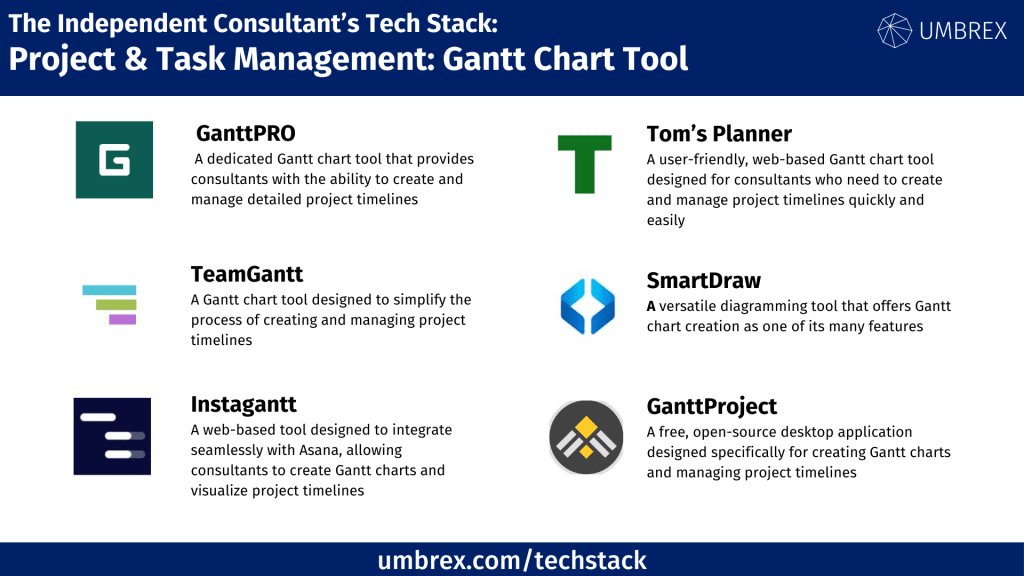
GanttPRO is a dedicated Gantt chart tool that provides consultants with the ability to create and manage detailed project timelines. It offers intuitive drag-and-drop functionality for creating tasks, setting deadlines, and adjusting dependencies. GanttPRO also features task prioritization, budget tracking, and resource management, making it ideal for consultants managing complex projects. The tool integrates with popular platforms like Slack and Jira, allowing consultants to streamline their workflow.
Key features:
- Drag-and-drop Gantt chart creation
- Task dependencies and milestones
- Resource management and budget tracking
- Integration with Slack, Jira, and more
Pros and Cons for Independent Consultants:
Pros:
- Easy to use with an intuitive interface
- Comprehensive Gantt chart features for complex project management
- Affordable pricing, especially for solo consultants
Cons:
- Focuses primarily on Gantt charts, limiting its functionality in other areas
- Limited collaboration features compared to full project management tools
2. TeamGantt
- Website: www.teamgantt.com
- Form of tool: Web-based platform and mobile app
- Cost: Free for 1 user and 1 project; paid plans start at $19/month per user
- Geographic coverage: Global
Description and Features:
TeamGantt is a Gantt chart tool designed to simplify the process of creating and managing project timelines. With its intuitive drag-and-drop interface, consultants can quickly set up tasks, milestones, and dependencies. TeamGantt also allows users to view their Gantt charts alongside calendar and task list views, providing flexibility in how consultants track project progress. It includes collaboration features, enabling consultants to invite clients or team members to view and contribute to the project timeline.
Key features:
- Drag-and-drop Gantt chart creation
- Task dependencies and milestone tracking
- Collaboration tools for sharing Gantt charts with clients
- Calendar and list views to complement Gantt charts
Pros and Cons for Independent Consultants:
Pros:
- Simple, user-friendly interface
- Free plan available for solo consultants managing a single project
- Collaboration tools for client updates
Cons:
- Limited features on the free plan
- More expensive than other tools for consultants managing multiple projects
3. ClickUp
- Website: www.clickup.com
- Form of tool: Web-based platform, desktop software, and mobile app
- Cost: Free plan; Unlimited plan starts at $5/month per user
- Geographic coverage: Global
Description and Features:
ClickUp is an all-in-one project management tool that includes a robust Gantt chart feature, allowing consultants to visualize project timelines, manage task dependencies, and track milestones. ClickUp offers customizable workflows, task lists, kanban boards, and calendars in addition to Gantt charts, making it a versatile tool for managing various aspects of a consulting project. The Gantt view is integrated with other views, making it easy to switch between different ways of visualizing project progress.
Key features:
- Integrated Gantt chart with task dependencies
- Customizable workflows and task management
- Multiple views (kanban, calendar, list) alongside Gantt charts
- Time tracking and reporting tools
Pros and Cons for Independent Consultants:
Pros:
- Comprehensive project management features beyond Gantt charts
- Affordable pricing with a feature-rich free plan
- Customizable and highly flexible for different project needs
Cons:
- Can be overwhelming due to the number of features
- Takes time to learn and set up effectively for complex projects
4. Wrike
- Website: www.wrike.com
- Form of tool: Web-based platform and mobile app
- Cost: Free plan; paid plans start at $9.80/month per user
- Geographic coverage: Global
Description and Features:
Wrike is a project management tool with a strong focus on visualizing tasks through Gantt charts. Its timeline feature allows consultants to manage dependencies, track milestones, and adjust project schedules easily. Wrike also provides task tracking, collaboration tools, and custom workflows, making it a versatile tool for managing both simple and complex projects. Wrike’s Gantt charts are interactive, allowing consultants to adjust schedules in real time.
Key features:
- Interactive Gantt charts with drag-and-drop functionality
- Task management with custom workflows
- Collaboration features for sharing Gantt charts and progress
- Time tracking and reporting tools
Pros and Cons for Independent Consultants:
Pros:
- Great for managing multiple projects with detailed timelines
- Real-time adjustments to project schedules
- Free plan includes Gantt charts
Cons:
- Higher pricing for advanced features
- Learning curve for setting up custom workflows
5. Smartsheet
- Website: www.smartsheet.com
- Form of tool: Web-based platform and mobile app
- Cost: Starts at $7/month per user
- Geographic coverage: Global
Description and Features:
Smartsheet is a versatile project management tool that allows consultants to create Gantt charts alongside other project views like calendars and task lists. The tool is highly customizable, allowing consultants to track project timelines, set dependencies, and manage resources effectively. Smartsheet’s Gantt chart feature is especially useful for consultants managing larger projects with multiple stakeholders, as it provides a clear visual representation of the project’s progress.
Key features:
- Gantt charts with task dependencies
- Project templates for easy setup
- Resource management and budget tracking
- Collaboration features for sharing project progress with clients
Pros and Cons for Independent Consultants:
Pros:
- Highly customizable and suitable for complex projects
- Easy collaboration and sharing with clients and stakeholders
- Affordable pricing for solo consultants
Cons:
- Requires setup and customization for each project
- Advanced features may be overkill for smaller projects
6. Instagantt
- Website: www.instagantt.com
- Form of tool: Web-based platform
- Cost: Free plan available; paid plans start at $7/month per user
- Geographic coverage: Global
Description and Features:
Instagantt is a web-based tool designed to integrate seamlessly with Asana, allowing consultants to create Gantt charts and visualize project timelines. Instagantt provides a simple interface where users can map out tasks, dependencies, and milestones in a visual, easy-to-understand format. It also offers features like task assignments, progress tracking, and workload management, making it an excellent choice for consultants who need a detailed view of their project timelines. Consultants already using Asana for task management will find Instagantt particularly useful for adding a timeline view to their projects.
Key features:
- Integration with Asana for seamless task synchronization
- Visual Gantt charts with drag-and-drop functionality
- Task dependencies, milestones, and workload management
- Progress tracking and real-time collaboration with clients and teams
- Export charts to PDF or Excel for reporting
Pros and Cons for Independent Consultants:
Pros:
- Perfect for Asana users looking for Gantt chart functionality
- Intuitive, visual timeline management
- Affordable pricing with free plan available
Cons:
- Limited use outside of Asana integration
- Lacks some advanced project management features found in standalone tools
7. Tom’s Planner
- Website: www.tomsplanner.com
- Form of tool: Web-based platform
- Cost: Free plan available; paid plans start at $9.95/month per user
- Geographic coverage: Global
Description and Features:
Tom’s Planner is a user-friendly, web-based Gantt chart tool designed for consultants who need to create and manage project timelines quickly and easily. It features drag-and-drop functionality, making it simple to arrange tasks, set deadlines, and visualize project progress. Tom’s Planner is ideal for independent consultants who want a lightweight, no-fuss solution to create Gantt charts without getting bogged down by overly complex features. It also offers customizable templates, making it easier for consultants to plan projects according to their unique needs.
Key features:
- Drag-and-drop Gantt chart creation for fast planning
- Customizable templates for recurring projects
- Task dependencies, milestones, and progress tracking
- Collaboration features for sharing charts with clients and teams
- Export options for sharing timelines via PDF or Excel
Pros and Cons for Independent Consultants:
Pros:
- Extremely easy to use with minimal setup
- Great for consultants who need quick, simple Gantt charts
- Free plan available with core features
Cons:
- Lacks more advanced project management features
- Limited integrations with other software tools
8. SmartDraw
- Website: www.smartdraw.com
- Form of tool: Web-based platform and desktop software
- Cost: Paid plans start at $9.95/month per user
- Geographic coverage: Global
Description and Features:
SmartDraw is a versatile diagramming tool that offers Gantt chart creation as one of its many features. While primarily known for its ability to create flowcharts, organizational charts, and diagrams, SmartDraw’s Gantt chart capabilities are a great option for consultants looking to combine visual project timelines with other diagrams in a single platform. Consultants can easily create Gantt charts using pre-built templates and customize them to meet specific project needs. SmartDraw is ideal for consultants who want to present both high-level and detailed views of their project timelines alongside other visuals.
Key features:
- Gantt chart creation alongside flowcharts, organizational charts, and more
- Pre-built templates for quick setup
- Task dependencies, timelines, and project milestone tracking
- Collaboration features for sharing with clients or teams
- Export to PDF, Excel, and other formats
Pros and Cons for Independent Consultants:
Pros:
- Versatile tool for creating Gantt charts and other diagrams
- Great for consultants who need multiple types of visuals in their projects
- User-friendly interface with customizable templates
Cons:
- Primarily a diagramming tool, so Gantt chart functionality is less advanced compared to dedicated tools
- Requires a paid plan to access full features
9. GanttProject
- Website: www.ganttproject.biz
- Form of tool: Desktop application (Windows, macOS, Linux)
- Cost: Free (open-source)
- Geographic coverage: Global
Description and Features:
GanttProject is a free, open-source desktop application designed specifically for creating Gantt charts and managing project timelines. It’s ideal for consultants who prefer an offline solution for project planning and timeline visualization. GanttProject offers core project management features, including task dependencies, progress tracking, and workload management. Since it’s a lightweight application, it’s a great option for consultants who need basic Gantt chart functionality without the need for internet access or cloud-based tools.
Key features:
- Free, open-source software for creating Gantt charts
- Task management with dependencies, milestones, and deadlines
- Progress tracking and workload management
- Export options to PDF, PNG, and Microsoft Project formats
- No internet connection required for use
Pros and Cons for Independent Consultants:
Pros:
- Completely free and open-source
- Great for consultants who prefer an offline Gantt chart solution
- Simple and easy to use for basic project management needs
Cons:
- Lacks advanced collaboration features found in cloud-based tools
- Not ideal for complex, large-scale projects or team management