
Expense management tools streamline the process of logging receipts, categorizing expenditures, and ensuring compliance with tax regulations. For consultants juggling multiple projects and clients, having an automated and organized system to manage expenses helps save time, reduces errors, and facilitates accurate reporting. Many of these tools also integrate with invoicing and accounting software, allowing for a seamless financial workflow.
Also See: Accountants and Bookkeeping Services
1. Expensify
- Website: expensify.com
- Form of Tool: Cloud-based software with mobile apps (iOS and Android)
- Geographic coverage: Global
- Cost: Free for individual use (up to 25 SmartScans per month); paid plans start at $5/user per month for teams.
Description and Features:
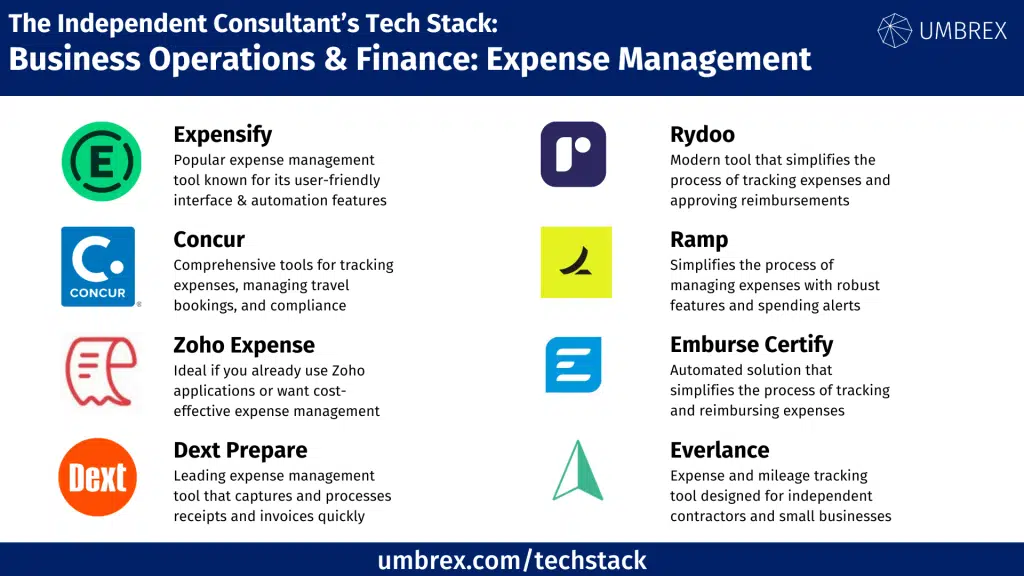
Expensify is a widely popular expense management tool, known for its user-friendly interface and robust automation features. Designed to simplify the process of expense tracking, it offers the ability to capture receipts through its mobile app by simply taking a photo, and the software automatically reads and records the relevant details.
- Receipt Scanning: Automatically extracts key details like vendor, amount, and date from receipts.
- Expense Categorization: Auto-categorizes expenses based on past behavior or rules set by the user.
- Mileage Tracking: Track and log mileage for business trips, which can be included in expenses.
- Integrations: Syncs with accounting software like QuickBooks, Xero, and payroll systems.
- Reimbursement and Approval Workflows: Automates the approval process and enables direct reimbursements to employees or consultants.
Pros for Independent Consultants:
- Automated receipt scanning saves time.
- Integrates with most major accounting software.
- Easy-to-use interface and comprehensive mobile app.
Cons for Independent Consultants:
- Paid plans required for advanced features.
- Some users report occasional issues with the receipt scanning feature’s accuracy.
2. Concur
- Website: concur.com
- Form of Tool: Cloud-based platform with mobile apps (iOS and Android)
- Geographic coverage: Global
- Cost: Pricing available upon request (customized for businesses and teams, typically starting at $9/user per month).
Description and Features:
Concur is one of the most comprehensive expense management tools available and is widely used by businesses of all sizes, including large corporations and independent consultants. It offers powerful tools for tracking expenses, managing travel bookings, and ensuring compliance with business policies.
- Expense and Travel Management: Combine expense tracking with travel management, enabling users to book travel and record related expenses in one place.
- Receipt Capture: Snap pictures of receipts, and the app logs the details automatically.
- Compliance and Reporting: Tools to ensure expenses are compliant with company policies or industry regulations.
- Customizable Workflows: Tailor expense approval and reimbursement processes to match business needs.
- Integration: Connects with major accounting platforms and tools like QuickBooks and NetSuite.
Pros for Independent Consultants:
- Excellent integration of travel and expense tracking.
- Comprehensive reporting features.
- Scalable to meet the needs of consultants or growing firms.
Cons for Independent Consultants:
- More complex to set up and navigate compared to simpler tools.
- Higher cost, often more suitable for those handling larger volume of expenses or travel.
3. Zoho Expense
- Website: zoho.com/expense
- Form of Tool: Cloud-based platform with mobile apps (iOS and Android)
- Geographic coverage: Global
- Cost: Free plan for up to 3 users; paid plans start at $5/user per month.
Description and Features:
Zoho Expense is a part of the larger Zoho suite of business tools. It’s ideal for consultants who already use other Zoho applications or are looking for a cost-effective expense management solution that integrates seamlessly with invoicing, accounting, and CRM systems.
- Receipt Management: Snap and store receipts through the mobile app, with automatic extraction of key data.
- Corporate Card Reconciliation: Reconcile expenses automatically from corporate cards.
- Policy Compliance: Set up expense policies and get alerts for non-compliant expenses.
- Multi-Currency Support: Manage expenses in different currencies, perfect for international consultants.
- Approval Workflows: Customize workflows for expense approvals and reimbursements.
Pros for Independent Consultants:
- Affordable pricing for small businesses and individuals.
- Seamlessly integrates with other Zoho tools like Zoho Books.
- Strong multi-currency support for international consultants.
Cons for Independent Consultants:
- Best suited for those already using Zoho’s ecosystem.
- Some users find the interface less intuitive compared to competitors.
4. Dext Prepare
- Website: dext.com/prepare
- Form of Tool: Cloud-based platform with mobile apps (iOS and Android)
- Geographic coverage: Global
- Cost: Paid plans start at $20/month for sole traders and up, depending on business size and features.
Description and Features:
Dext Prepare is a leading expense management tool known for its ability to capture and process receipts and invoices quickly. The tool integrates with major accounting platforms, allowing independent consultants to streamline their bookkeeping.
- Receipt and Invoice Capture: Snap receipts and upload invoices, which are then processed and categorized automatically.
- Auto Categorization: Automatically categorizes expenses based on past patterns or accountant-defined rules.
- Integration: Works with accounting tools like QuickBooks, Xero, and Sage.
- Reporting: Generate expense reports for better financial insights.
- Mobile App: Manage receipts and expenses directly from a smartphone.
Pros for Independent Consultants:
- Automatic processing of receipts and invoices.
- Strong integration with popular accounting platforms.
- Reduces manual data entry, saving time.
Cons for Independent Consultants:
- Pricing is on the higher side for those only needing basic features.
- Designed more for consultants with high volumes of receipts and invoices.
5. Rydoo
- Website: rydoo.com
- Form of Tool: Cloud-based platform with mobile apps (iOS and Android)
- Geographic coverage: Global
- Cost: Paid plans start at $7/user per month.
Description and Features:
Rydoo is a modern expense management tool that simplifies the process of tracking expenses and approving reimbursements. With a sleek interface and automation capabilities, it caters to independent consultants and small businesses alike.
- Expense Tracking: Track business expenses easily through receipt capture and categorization.
- Approval Workflows: Automate approval processes for faster reimbursements.
- Policy Compliance: Set up and enforce business expense policies.
- Multi-Currency Support: Ideal for consultants working across different countries.
- Integrations: Syncs with accounting software like Xero, QuickBooks, and NetSuite.
Pros for Independent Consultants:
- User-friendly interface with quick setup.
- Strong multi-currency support for international expenses.
- Offers powerful policy compliance tools.
Cons for Independent Consultants:
- Slightly higher cost for solo consultants.
- Some features more suited to mid-sized firms than individual consultants.
6. Ramp
Website: www.ramp.com
Form of tool: Web-based platform and mobile app
Cost: Free
Geographic coverage: United States
Description of the tool and its features:
Ramp is an expense management platform that offers corporate cards, automated expense tracking, and financial analytics to help businesses optimize their spending. It simplifies the process of managing expenses with features like receipt matching, automatic expense categorization, and real-time spending alerts. Ramp also provides insights into company spending trends, helping consultants identify opportunities for cost savings and streamline financial workflows. With integrated accounting software and no fees, Ramp is a cost-effective choice for consultants looking to manage expenses efficiently.
- Corporate card with built-in expense management
- Automated receipt matching and expense categorization
- Real-time spend tracking and alerts
- Insights and analytics for optimizing company spending
- Integration with accounting software like QuickBooks and Xero
Pros for independent consultants:
- No cost to use, with a free corporate card
- Automates expense tracking to save time
- Provides actionable insights for better financial decision-making
Cons for independent consultants:
- Currently available only in the United States
- Some features may be more suited for larger teams rather than solo consultants
7. Emburse Certify Expense
Form of tool: Web-based platform and mobile app
Cost: Pricing available upon request
Geographic coverage: Global
Description of the tool and its features:
Emburse Certify Expense is an automated expense management solution that simplifies the process of tracking and reimbursing business expenses. It features receipt capture, expense reporting, and policy compliance tools that help consultants and businesses streamline their financial workflows. The platform integrates with major accounting software, allowing for seamless data synchronization. Certify Expense also offers real-time analytics and reporting, enabling consultants to manage budgets more effectively and gain insights into company spending.
- Automated expense reporting and receipt capture
- Policy compliance checks to ensure adherence to company guidelines
- Real-time analytics and reporting for better financial insights
- Integration with accounting software such as QuickBooks, NetSuite, and Sage
- Mobile app for on-the-go expense tracking
Pros for independent consultants:
Streamlines the expense reporting process with automation
Offers powerful integration options for accounting
Real-time reporting helps with budget management and cost control
Cons for independent consultants:
Pricing may be higher than other expense management tools
Some features may be more suitable for larger organizations rather than individual consultants
8. Everlance
Website: www.everlance.com
Form of tool: Web-based platform and mobile app
Cost: Free plan available; paid plans start at $8/month
Geographic coverage: Global
Description of the tool and its features:
Everlance is an expense and mileage tracking tool designed for freelancers, independent contractors, and small businesses. It simplifies the process of tracking business expenses and mileage for tax deductions and reimbursement. With automatic mileage tracking, receipt capture, and expense categorization, Everlance helps consultants ensure accurate expense reporting and maximize their tax savings. The platform integrates with popular accounting software and offers detailed reporting for easy expense management.
- Automatic mileage tracking with GPS
- Receipt capture and expense categorization
- Real-time expense tracking for tax deductions
- Integration with accounting software like QuickBooks
- Customizable reports for tax filing and reimbursement
Pros for independent consultants:
- Ideal for consultants who need to track mileage and expenses for tax purposes
- Automatic tracking features save time and ensure accuracy
- Affordable pricing with a useful free plan
Cons for independent consultants:
- May lack some advanced features found in more comprehensive expense management tools
- Best suited for individual users or small teams, rather than larger organizations