

11.1 Mekko (Marimekko) charts: size and mix in one view

A Mekko (or Marimekko) chart is one of the most powerful structural charts in consulting. It lets you show size and mix simultaneously across categories.
Conceptually:
- The horizontal axis is divided into columns of varying width. Each column’s width represents the size of something (e.g., total market size by country, total revenue by business unit).
- Within each column, stacked segments represent the composition or mix (e.g., competitor share, product mix, channel split).
- The height of each stack is usually normalized to 100%, so each column is a 100% stacked bar, but the width varies with size.
This lets you answer questions like:
- “Which markets are largest, and who is strongest in each?”
- “Where is our portfolio concentrated, and in which segments within those spaces?”
- “Which countries are both big and dominated by one competitor?”
Good Mekko use cases:
- Market structure: countries on the x-axis, width = market size, segments = players’ market share.
- Portfolio overview: business units on the x-axis, width = revenue, segments = profit pools or product lines.
- Customer mix: segments on the x-axis, width = number of customers or revenue, segments = product adoption tiers.
Design guidance:
- Limit the number of columns to a manageable set (often 5–10). If you have 25 countries, show the top 8–10 and aggregate the rest into “Other.”
- Limit the number of segments within each column to 3–5. Too many slices make the chart unreadable.
- Use consistent colors for segments across all columns (e.g., same competitor color across all markets).
- Label columns with both name and size where possible (“France – $2.3B”).
- Use call-outs sparingly to highlight specific regions of interest (“Large markets where we are sub-scale,” “Small but high-margin niches”).
A Mekko is inherently heavier than a bar chart. It should be reserved for genuine “market map” or “portfolio structure” moments—slides you expect the client to come back to multiple times during the discussion.
11.2 Percentage breakdown and “tile” charts

Sometimes you want to show composition structurally, but a full Mekko is overkill. Percentage breakdown and “tile” charts offer lighter-weight ways to show structure and concentration.
Two common variants:
- Simple tile breakdowns
- The whole area (often a rectangle) represents 100%.
- It is divided into tiles or blocks whose area is proportional to share.
- Useful when you want to emphasize concentration: a few big blocks dominate, many small ones trail.
- Example: revenue by product family where three products drive 75% and the rest are noise.
- Equal-unit tile grids
- The chart is a grid of equal-sized squares (e.g., 10×10 = 100 squares).
- The number of colored tiles corresponds to share or count (e.g., 37 squares filled = 37%).
- This is more about counting units than precise proportional area. It can be intuitive for audiences less comfortable with more technical visuals.
- Example: 100 tiles where each tile is 1% of customers, with different colors for segments or outcomes.
Guidelines for percentage/tile charts:
- Make the mapping explicit (“Each tile = 1% of revenue” or “Block area proportional to sales”).
- Group small items into “Other” where needed. Tiny unlabeled fragments defeat the purpose.
- Use them on summary pages, not for detailed analytical work. They are about “feel for the whole,” not inspection of individual values.
If the main question is “How concentrated is this?” or “What does the whole portfolio feel like?”, a clear tile layout can be very effective.
11.3 Heat maps (color-coded matrices)

Heat maps use color intensity to encode values in a matrix. They are ideal when you have two categorical dimensions and a value for each pair, and you want the reader to see patterns, clusters, and anomalies rather than memorize exact numbers.
Structure:
- Rows = one categorical dimension (e.g., products, capabilities, customer segments).
- Columns = another dimension (e.g., regions, channels, time buckets, metrics).
- Each cell’s color (shade or hue) represents the value: higher, lower, good, bad.
Typical uses:
- Performance by product × region (e.g., profitability, growth, penetration).
- Correlation matrices across variables (strong positive, neutral, negative).
- Capability vs business unit maturity matrices.
- Operational metrics by site × metric (e.g., safety, quality, delivery).
Design principles:
- Choose a meaningful color scale:
- For “bad to good,” use a single hue with light-to-dark or a diverging scale (e.g., light–neutral–dark).
- For “negative to positive,” a two-sided scale (e.g., light for neutral, one color for negative, another for positive) can work.
- Provide a clear legend for the color scale, ideally labeled with both numbers and qualitative descriptors (“Low,” “Medium,” “High”).
- Order rows and columns deliberately, not alphabetically by default. Consider ordering by total size, strategic importance, or clustering similar patterns together.
- Avoid overloading with too many rows/columns on a main slide. If you have 50 rows, either:
- Focus on a subset, or
- Use the heat map in an appendix and present a simplified summary on the main page.
A good heat map lets an executive say things like: “We systematically underperform in Region X across most products,” or “These three capabilities are weak everywhere; this one is strong only in BU A.”
11.4 Combination charts (e.g., column + line)
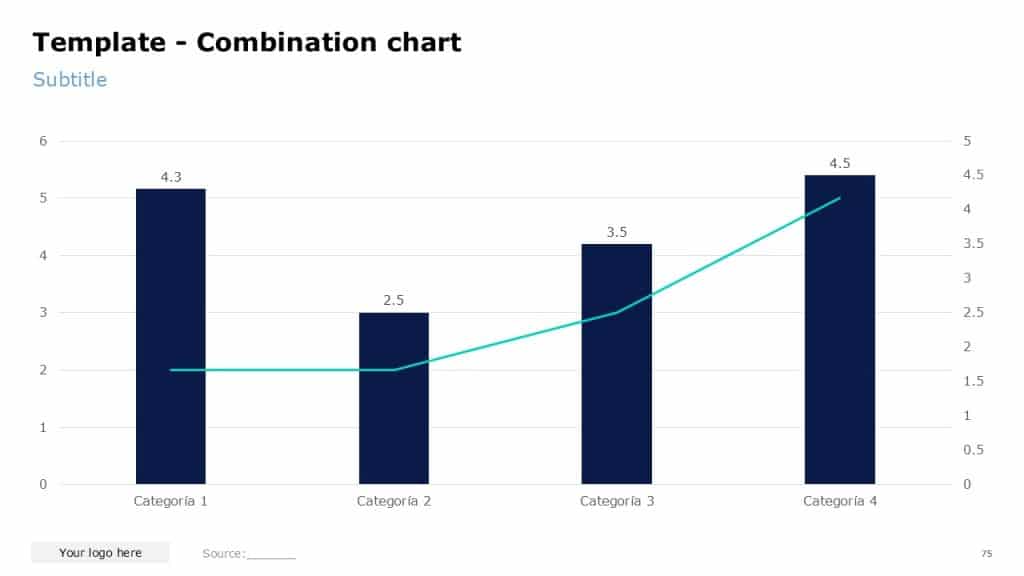
Combination charts overlay two chart types (most commonly columns and a line) to show two related but distinct views of the same data.
Classic examples:
- Revenue as columns with margin% as a line.
- Volume as columns with price as a line.
- Number of customers as columns with satisfaction (NPS) as a line.
Use a combination chart when:
- The metrics are conceptually linked, and you want to see them together for each period or category.
- One metric is best understood as a volume or level (columns) and the other as a rate or ratio (line).
- You want to answer questions like “Are we trading margin for growth?” or “Is satisfaction keeping up with scale?”
Guidelines (and warnings):
Be very cautious with dual axes:
- Use dual axes only when absolutely necessary (e.g., revenue in $M and margin in %).
- Make sure both axes are clearly labeled, including units.
- Avoid manipulating scales to make trends appear artificially correlated.
Consider instead:
- Keeping both metrics on the same axis if they are in compatible units (e.g., index both to 100).
- Or using two aligned charts (stacked vertically) that share the same x-axis, if dual axes feel confusing.
Make the visual hierarchy clear: decide which series is primary.
- Use a stronger color and slightly thicker stroke for the primary line or darker fill for the primary columns.
- Make the secondary measure more muted; it is context, not the star.
Combination charts are most effective when they support a specific narrative: “Revenue has grown strongly, but margin has steadily declined,” not when they are used to cram unrelated numbers onto one page.
